Class Notes
Turn Classes Into Pictures
Get a visual representation of any live class or seminar you sit through.
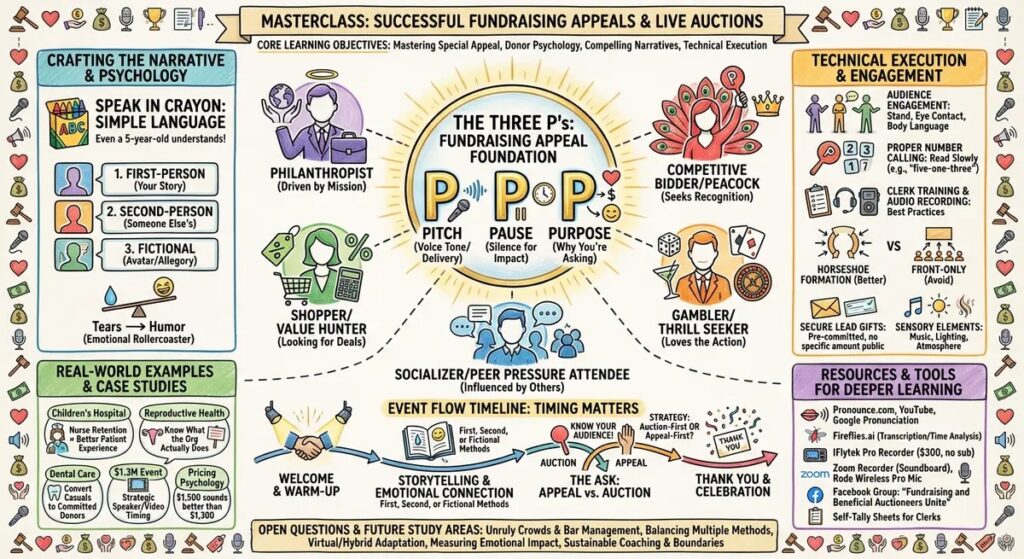
Just start a free Google Meet, enter your meeting link and email in the form below, admit the agent to the meeting, then when your sessions over you’ll receive an email with your infographic, like this:
Instructions
- Go to meet.google.com (a Google account is required for this to work.)
- Click the blue New Meeting button and start a new instant meeting
- Copy the meeting link
- Paste it in the form below, with your name, and email address
- End the meeting when you’re done and you’ll get an email with your infographic
Try it here:
Visual Education Notes
Suggestions
This works best when each session is under two hours. Break it up by subject or section.
To stop a session just end your Google Meet. If you’re recording your Google Meet, end the recording first. Then repeat the setup instructions when your next session begins.
This is free. I made it just for fun, sitting in the back of BAS at Designation Academy. I’m a visual learner and this helps me. I hope it helps you too.
This might disappear at any time. If it does, reach out to me and I’ll show you how to build it for yourself. Better yet, register for Digital Marketing Summit and I’ll teach you how to build it.